Issue Tracker

Case study, UX design
Project Overview
The Issue Tracker is envisioned as a component that fits within the broader ecosystem of Auditing products and the Client Portal, which are tools used to manage and facilitate various aspects of the audit process.
  • A global audit platform, designed to support high-quality audits by providing a suite of tools and resources that enhance the efficiency and effectiveness of audit teams.
  • The Client Portal is an extension of this platform, offering clients a secure environment to interact with their audit teams, share documents, and track the progress of their audits.
  • The Issue Tracker is a strategic addition to the audit platform and Client Portal that aims to enhance the audit process by improving efficiency, accountability, client engagement, and overall audit quality. It addresses the need for a more structured and collaborative approach to managing audit-related issues.
Goals
The goal of this UX case study is to detail the process of designing and implementing an improved Issue Tracker, with the aim of enhancing the overall user experience for auditors.
  • Identify and understand the primary pain points and challenges auditors face when tracking and managing issues during the audit process.
  • Develop a user-centred design that addresses these challenges, streamlines workflows, and facilitates better communication and collaboration among audit team members.
  • Create a more intuitive and efficient Issue Tracker that reduces the time and effort required to log, monitor, and resolve issues.
  • Share insights and lessons learned throughout the design and development process to inform future UX initiatives.
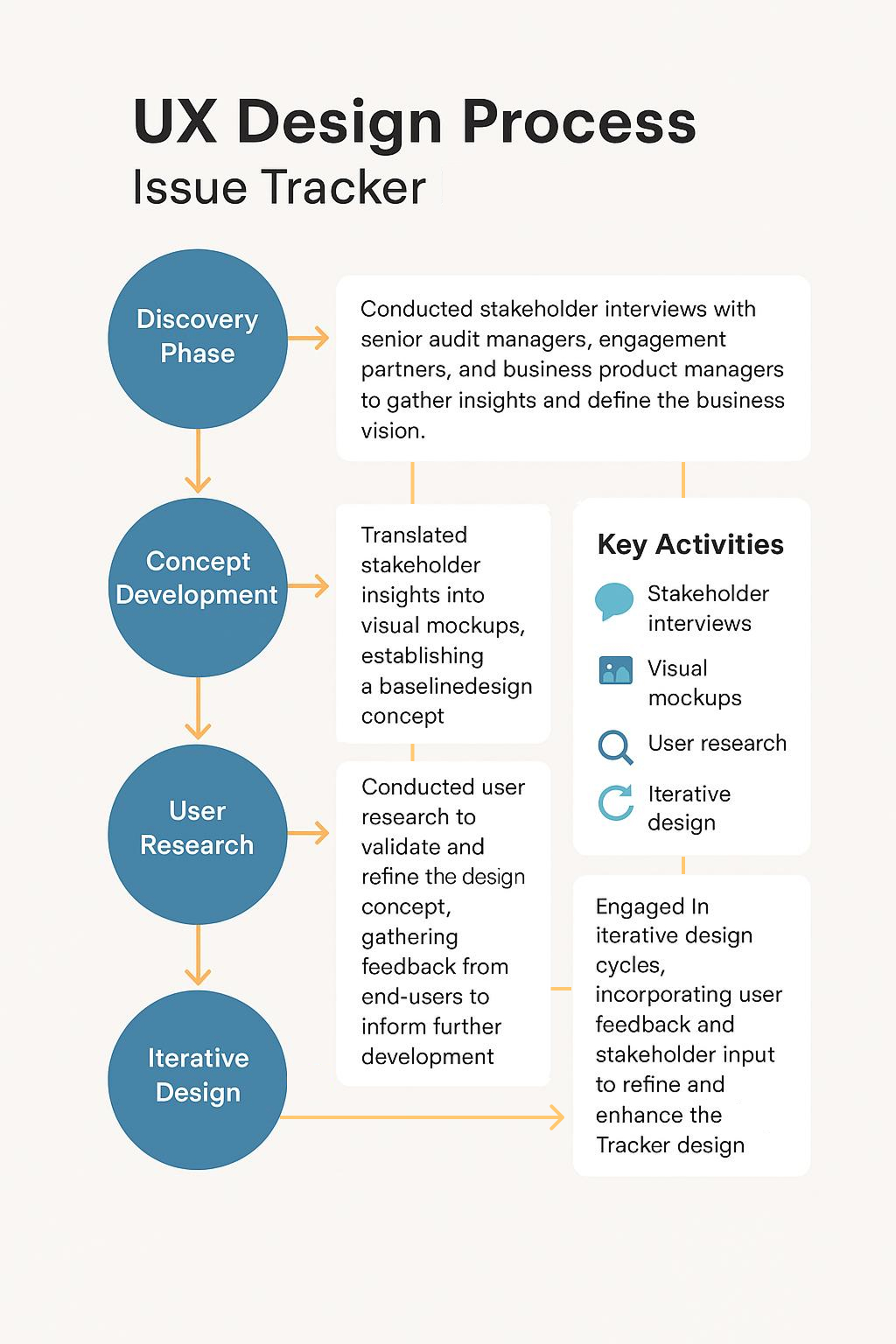
UX Design Process
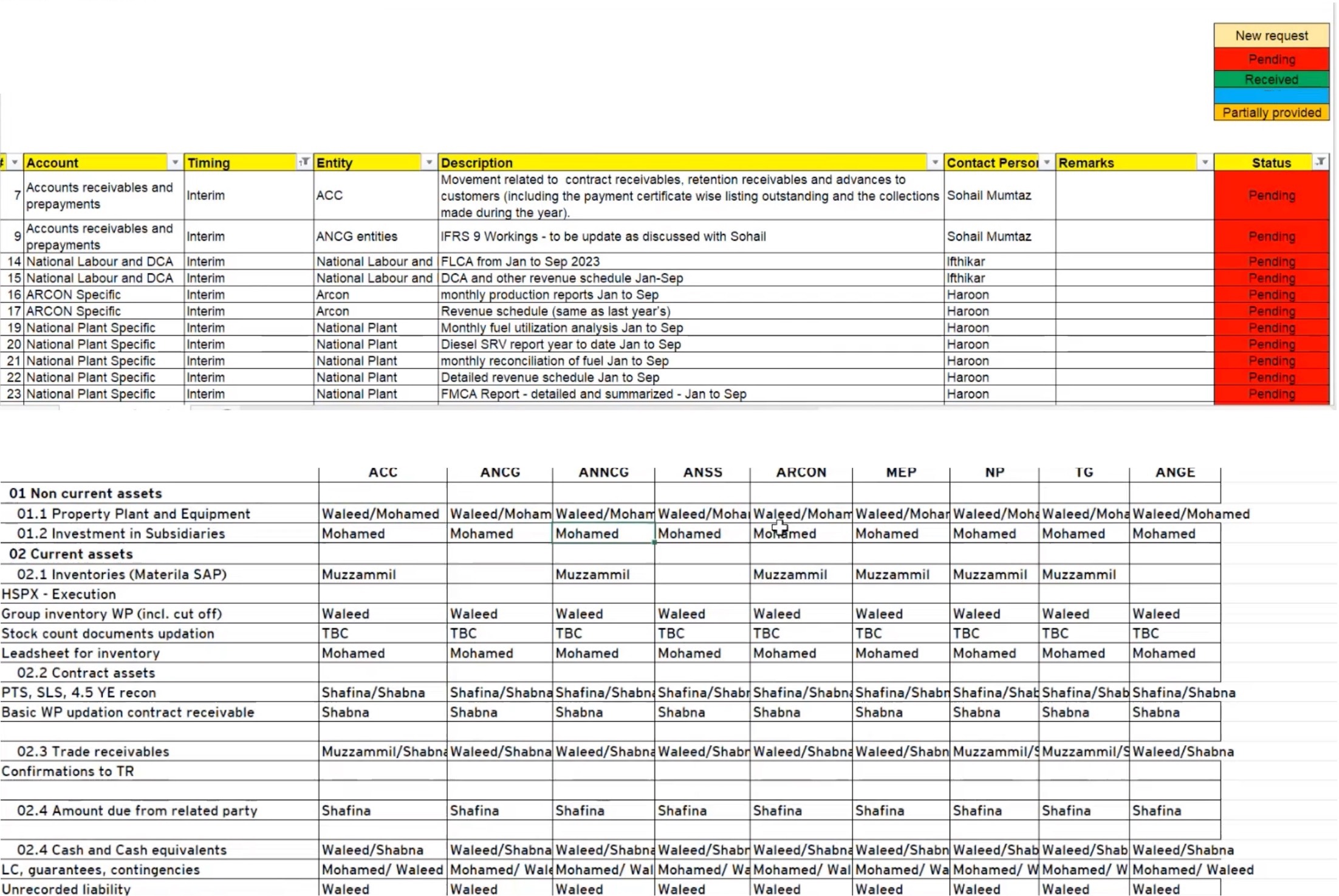
Artifacts showcasing the current process  of issue tracking across multiple regions.

An e.g. of external and internal tracker in EMEIA region.
Key Highlights
• Account
• Timings
• Entity
• Description
• Person in Charge from Audit team
• Remarks
. Color-coded Status Key

internal issue tracker in EMEIA region
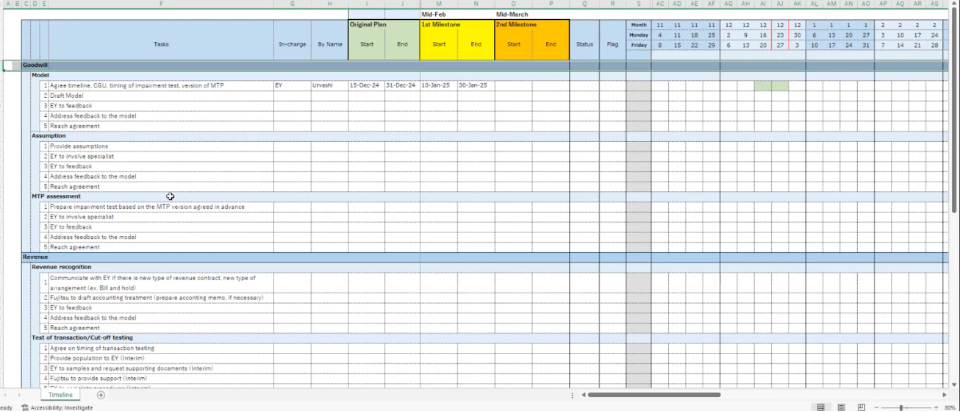
external issue tracker in APAC region

An e.g. of external in APAC
Structured Issue Resolution Timeline

  • Initial Milestone: First checkpoint for issue resolution.
  • Second Milestone: Subsequent review if unresolved.
  • FinalMilestone: Deadline for issue completion.

KeyHighlights

  • In-charge @organisation/ entity
  • Name•Start and End Date under milestones
  • Status•Flag – criticality/ urgency
  • Gant chart/ Timeline

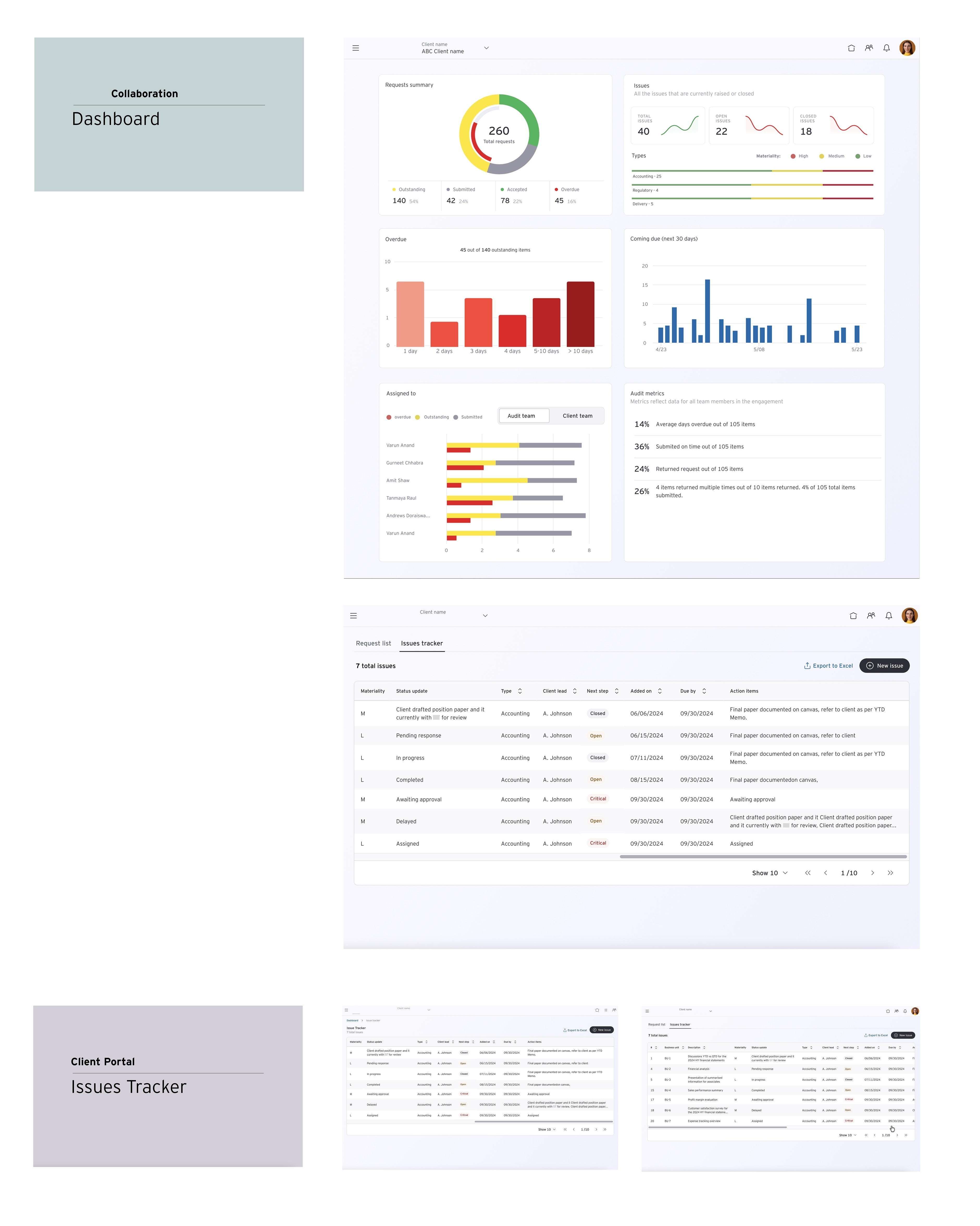
Wireframing

Translated stakeholder insights into visual mockups, establishing the foundational design concept.
Issue Tracker Wireframes

Testing and Validation

Validated design assumptions and gathered user feedback on conceptual design/ layout
User research findings User research findings User research findings User research findings User feedbacks
Remember: Unless you test, it's just a guess!

User Research and Findings

16
Participants
16+
Hours of testing
7
Americas
4
APAC
5
EMEIA
In our user research, we identified and clarified usability issues within the current design through user interviews, usability testing, and surveys, gathering both qualitative and quantitative data. We established a consistent metric of usability using established heuristics and the System Usability Scale (SUS) to evaluate user satisfaction. Furthermore, we provided insights on proposed design changes by creating prototypes and conducting additional user testing, allowing us to refine the design iteratively based on user feedback and ensure alignment with user needs.
Research Methodology
1:1 moderated sessions

User Pain-Points

  • Manual Efforts: The current issue tracking process relies heavily on manual summarization and communication, leading to inefficiencies.
  • Lack of Documentation: Informal delegation of critical issues risks proper documentation and traceability.
  • Confidentiality Concerns: Difficulty in maintaining confidentiality during discussions and document sharing, with only partial confidentiality controls.
  • Inconsistent Tracking Methods: Varied methods for issue tracking create challenges in client communication and reporting accuracy.
  • Inefficient Reporting: Frustration with switching between different tools and manual work plans, leading to cumbersome reporting processes.

User Needs

  1. User-Friendly Portal: A centralized platform that manages documents, questions, and issue tracking efficiently.
  2. Automated Reporting: Preference for automated reporting tools to reduce manual workload and enhance efficiency.
  3. Real-Time Updates: A system that supports real-time updates to manage urgent issues effectively.
  4. Standardization: Consistent titling and tracking methods to improve filtering and tracking over time.

Current Challenges

  1. Coordination Issues: Difficulty in coordinating between teams, especially in larger engagements with multiple stakeholders.
  2. Complex Communication: Complicated communication threads hinder clarity and responsiveness.
  3. Resource Allocation: Challenges in assigning resources based on experience and availability during the pre-planning phase.
  4. Version Control: Lack of version control complicates tracking changes and modifications to documents.

Problem Statement

Audit teams and their clients are struggling to achieve seamless collaboration due to ineffective communication, lack of streamlined tools, and unclear issue tracking system, which hampers transparency and efficiency in the audit process, specifically during client interactions and team collaboration. This challenge persists throughout the audit engagement, from initial communication to issue resolution. The lack of a professional and efficient audit experience erodes client trust and satisfaction, ultimately impacting business growth. How can we redesign the audit process to prioritize clear communication, intuitive tools, and transparent issue tracking, thereby enhancing client satisfaction and driving business success?

Ideation

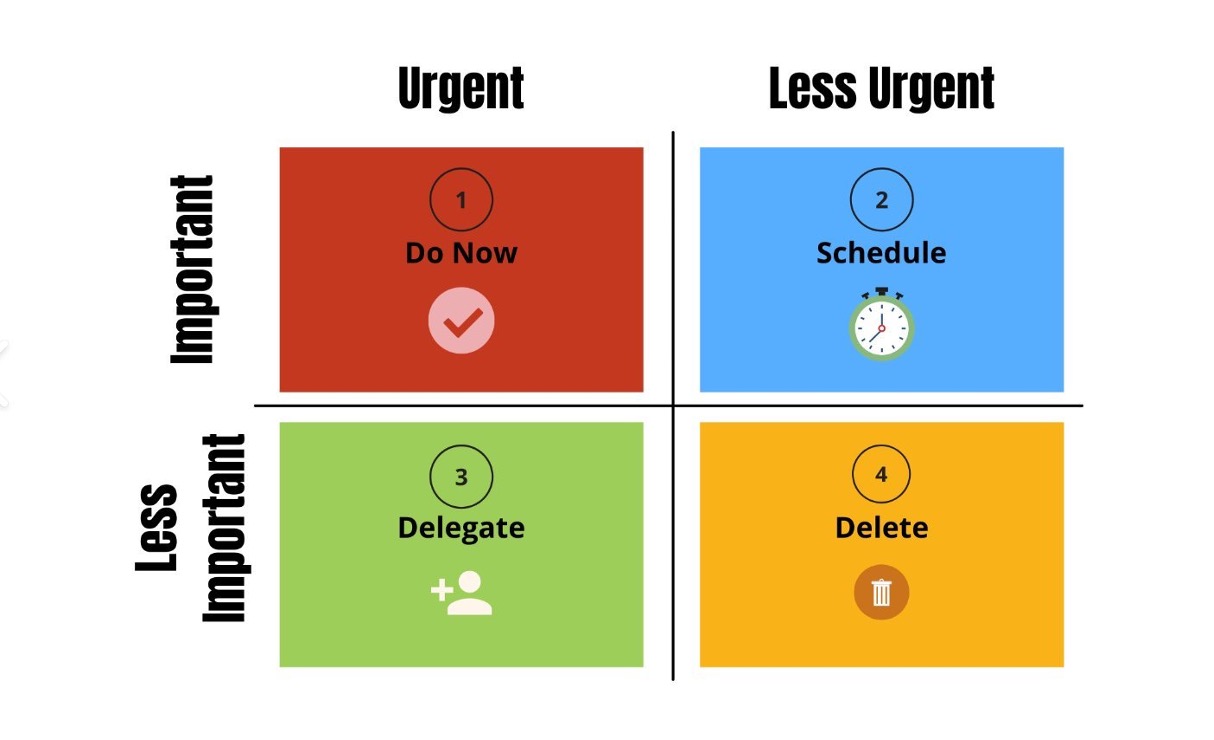
During the ideation phase, we systematically gathered and analyzed user insights to understand their feature expectations for the issue tracker. We engaged with both internal and external stakeholders to prioritize feature requirements, ensuring that the proposed solutions aligned with user needs and organizational goals. We utilized frameworks like the Eisenhower Chart to categorize features based on their importance and urgency. This approach allowed us to visualize and prioritize features effectively, ensuring that critical functionalities were addressed first. Stakeholder collaboration facilitated a comprehensive understanding of the necessary features, leading to a well-rounded feature set that enhances user experience and operational efficiency.
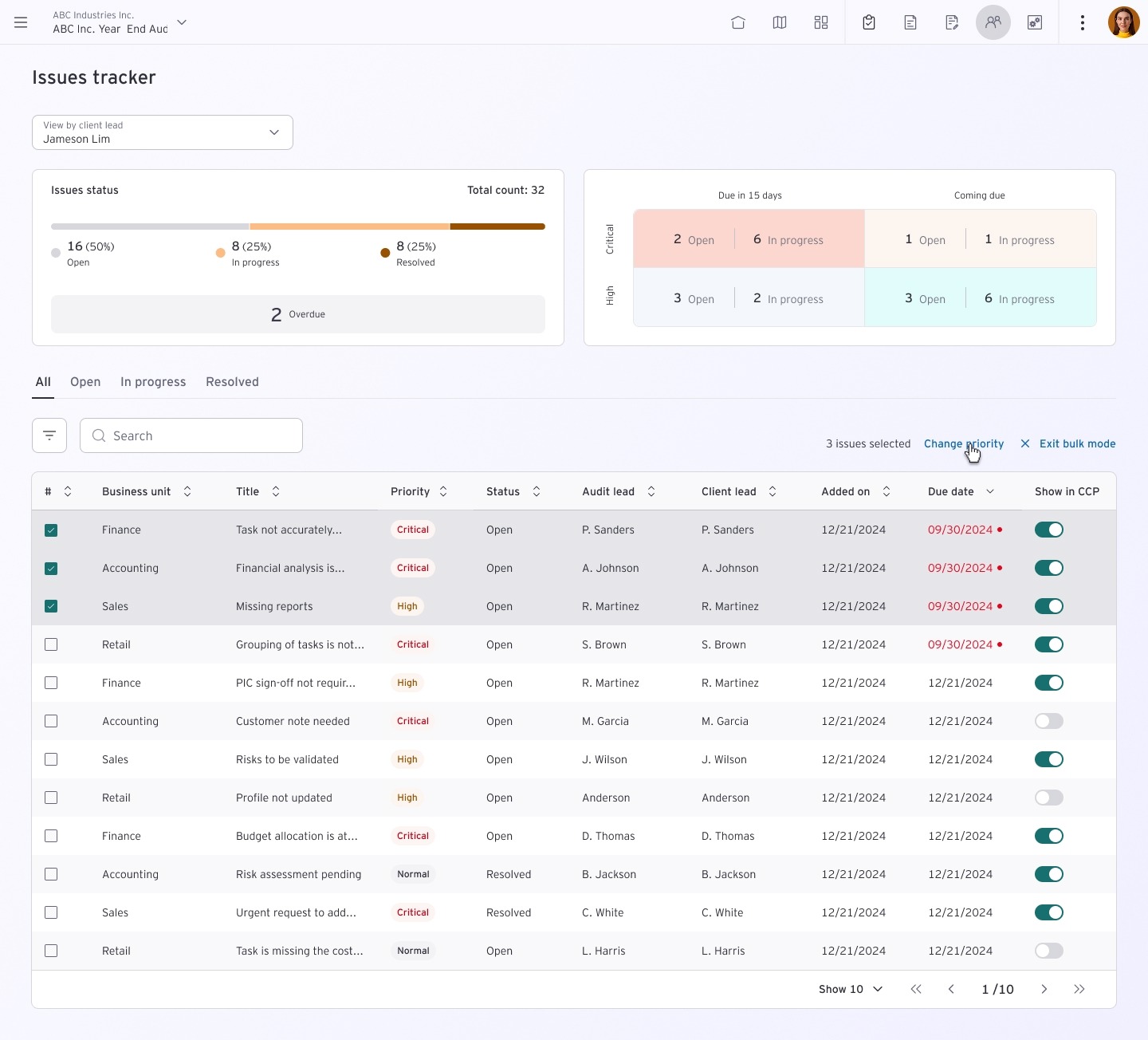
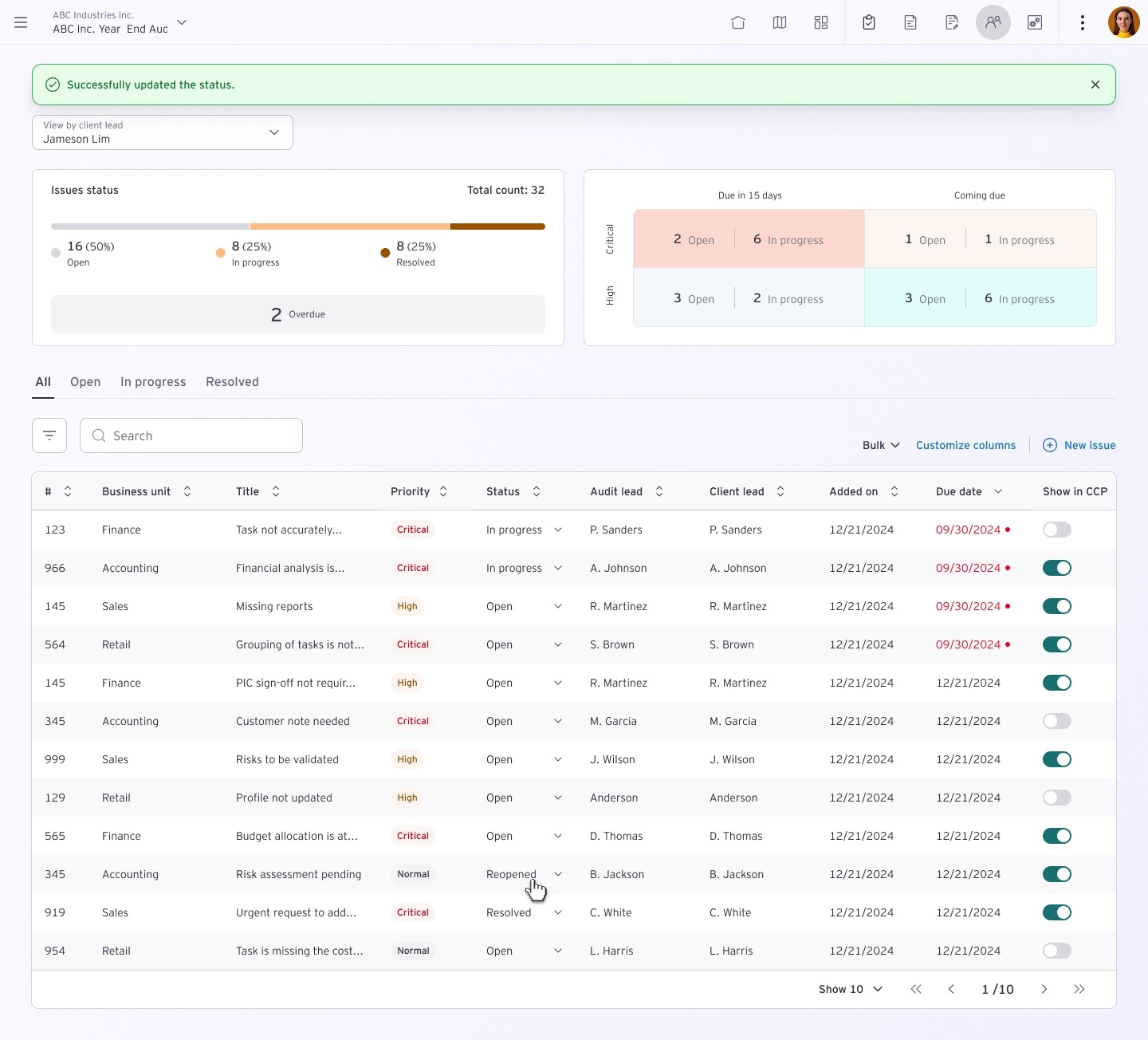
Unique Call-out: Envisioning an issue tracker similar to an  Eisenhower Chart for sorting by priority.
Eisenhower Chart
Feature requirement gathering
  1. Prioritization and Criticality: Features that allow users to categorize issues based on criticality and priority, including visual cues like color-coding for urgency.
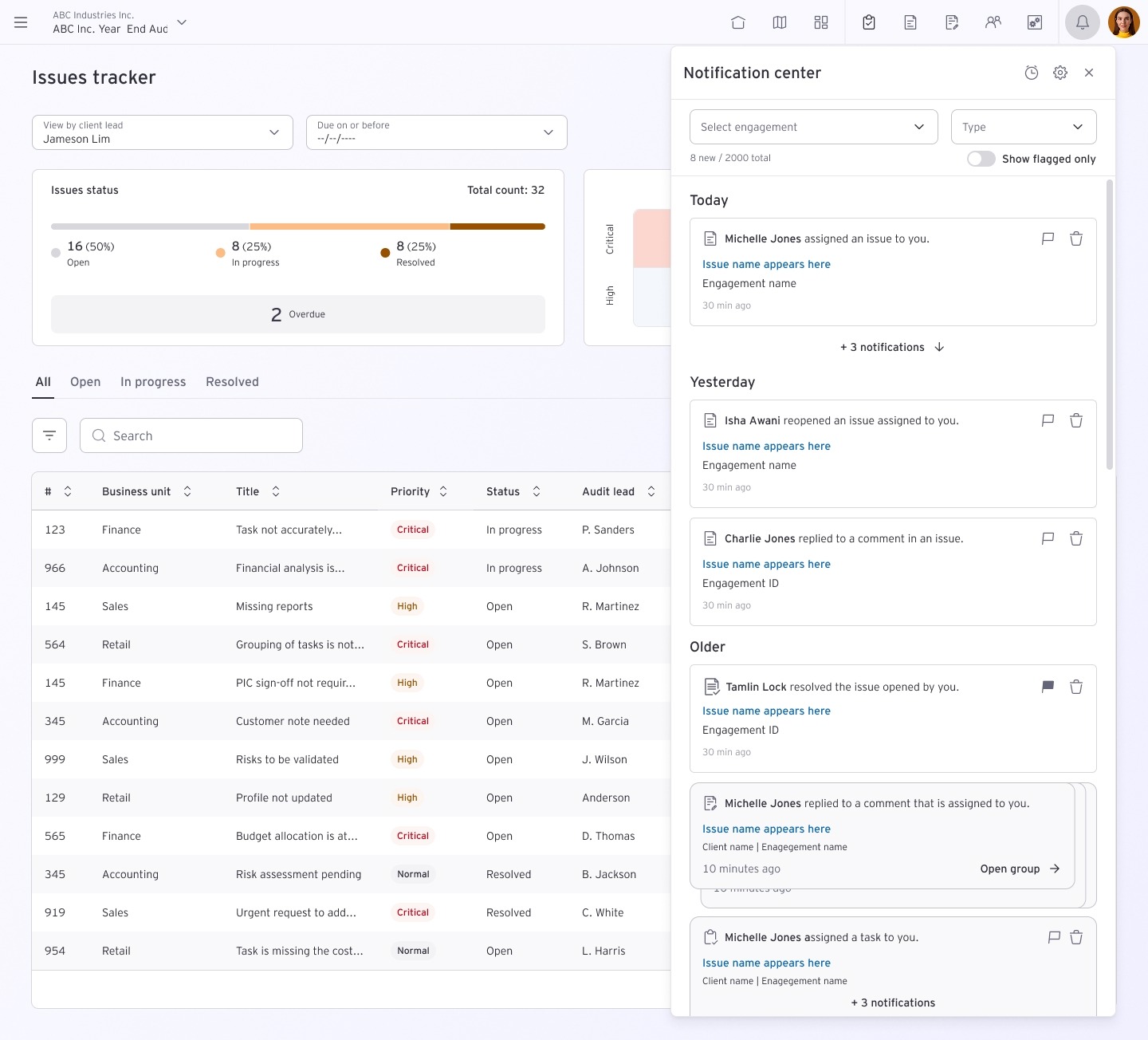
  2. Enhanced Communication System: Integration of reminders and notifications within the issue tracker to streamline communication and ensure timely follow-ups.
  3. Robust Reporting Tools: Customizable reporting formats that allow users to generate tailored reports for client meetings, including the ability to mask sensitive information.
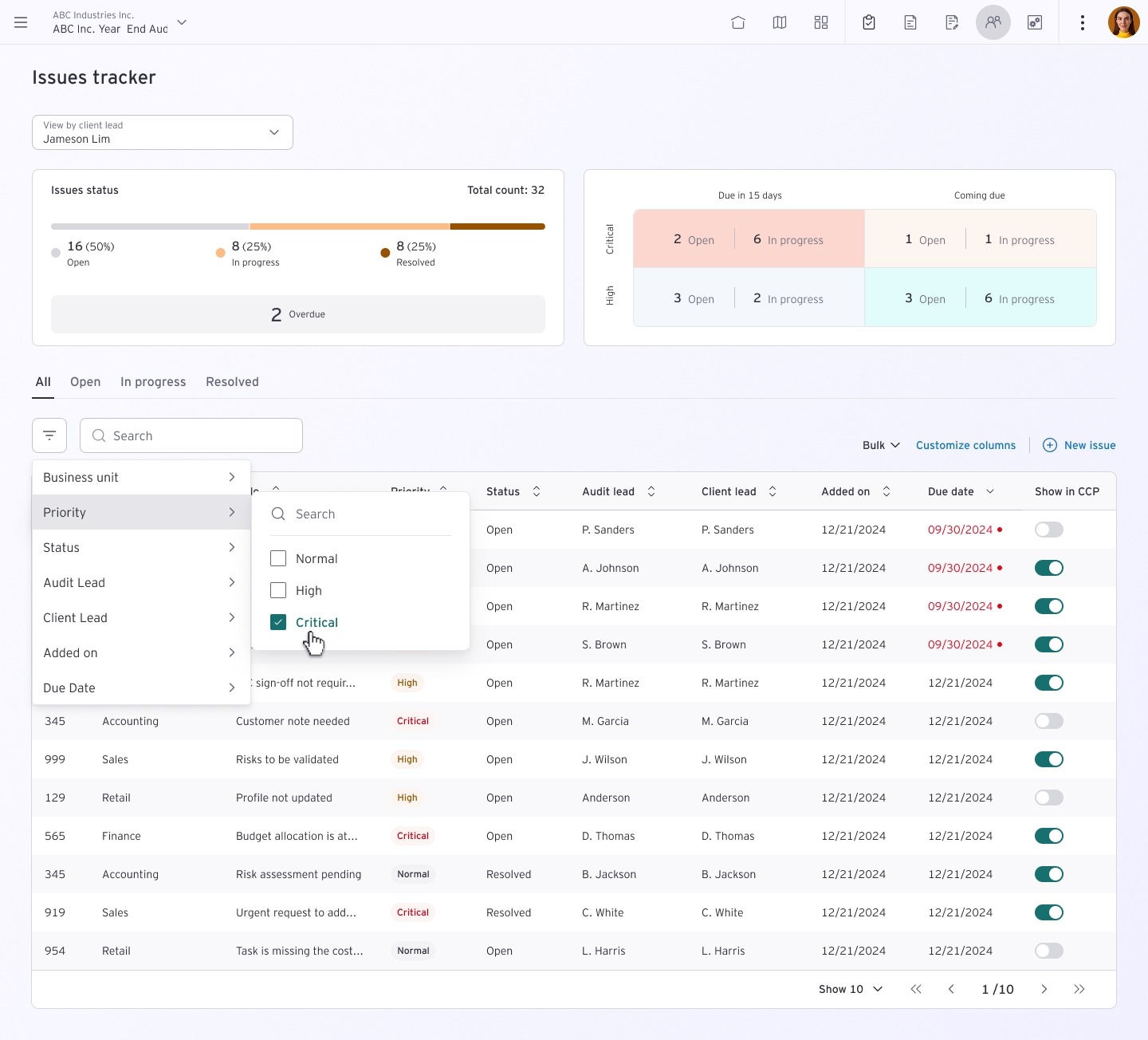
  4. Dynamic Filtering Capabilities: Advanced filtering options that enable users to view issues based on various criteria, such as due dates, audit phases, and historical data.
  5. Canvas Integration: Centralized access to audit evidence and documentation within the Canvas platform, with features for task visualization and workflow management.
This affinity map provides a structured overview of the initial requirements and expands on the potential features and considerations within each theme, moving from the broad "How Might We" questions to more concrete ideas.
Affinity Map
Decision tree
This decision tree illustrates the flow of the ideation process, highlighting how user needs and stakeholder input converge to prioritise feature requirements for the issue tracker. Each branch represents a critical area of focus, leading to specific functionalities that enhance the overall user experience.
Decision Tree

Iterative Design

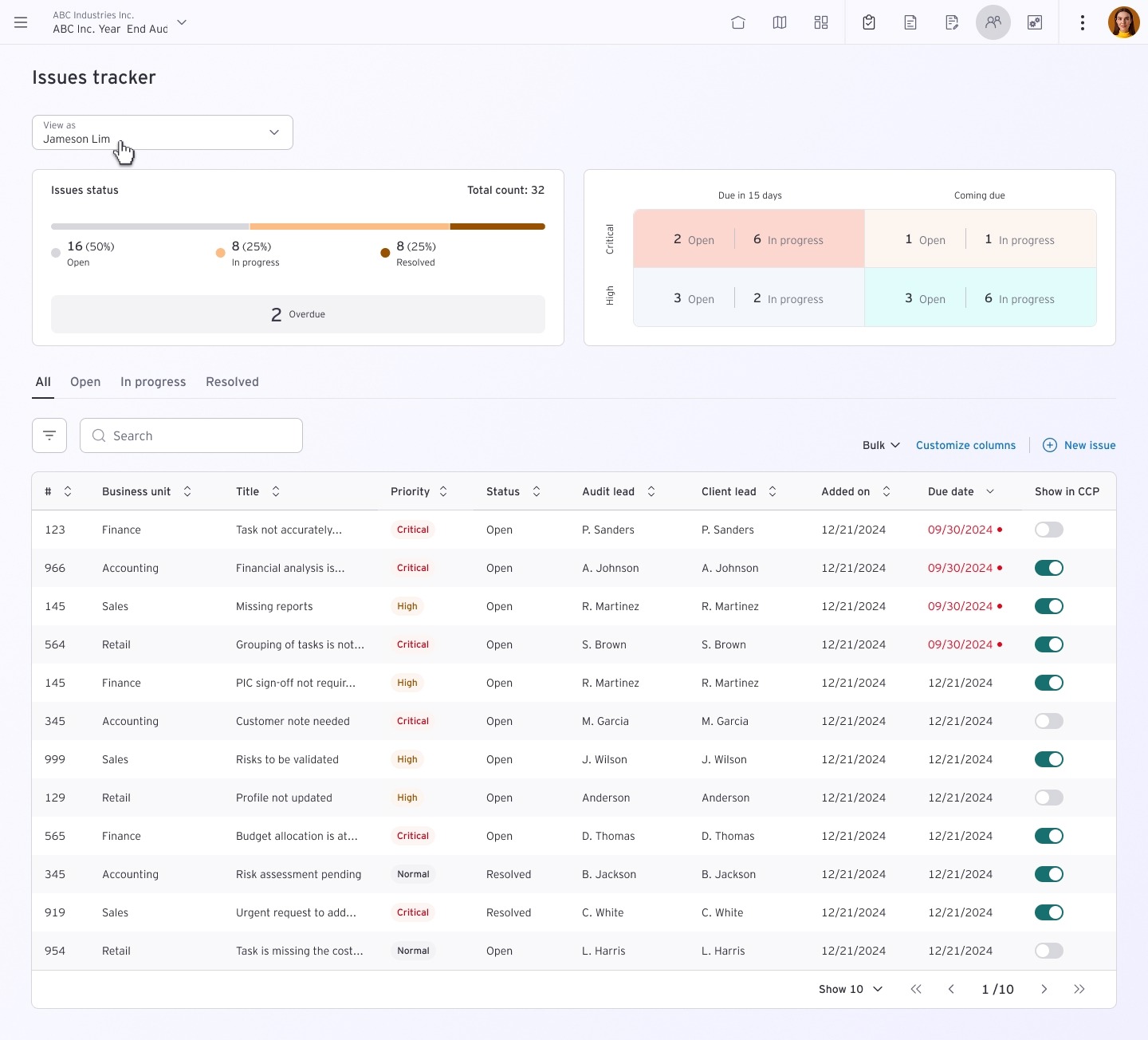
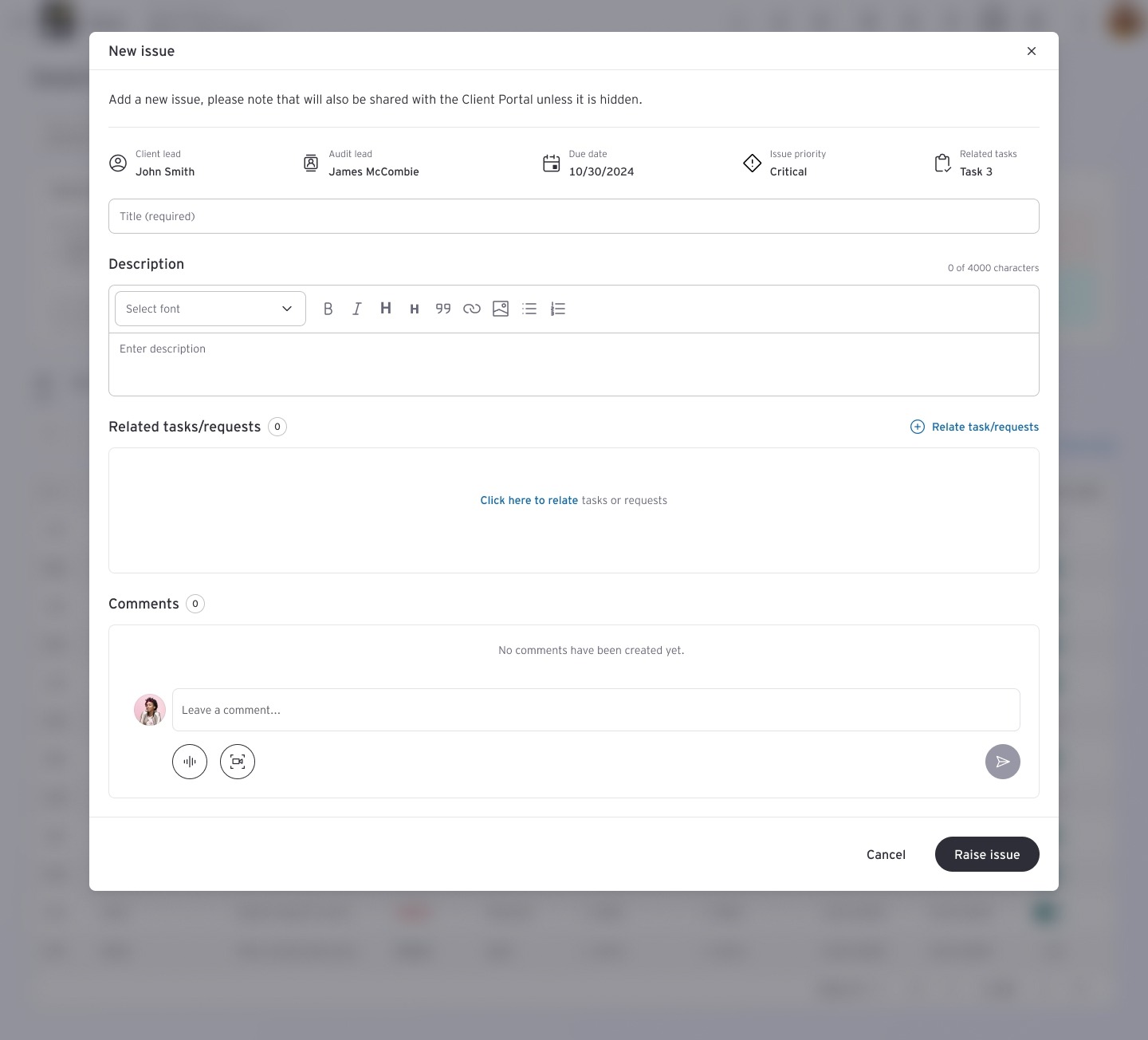
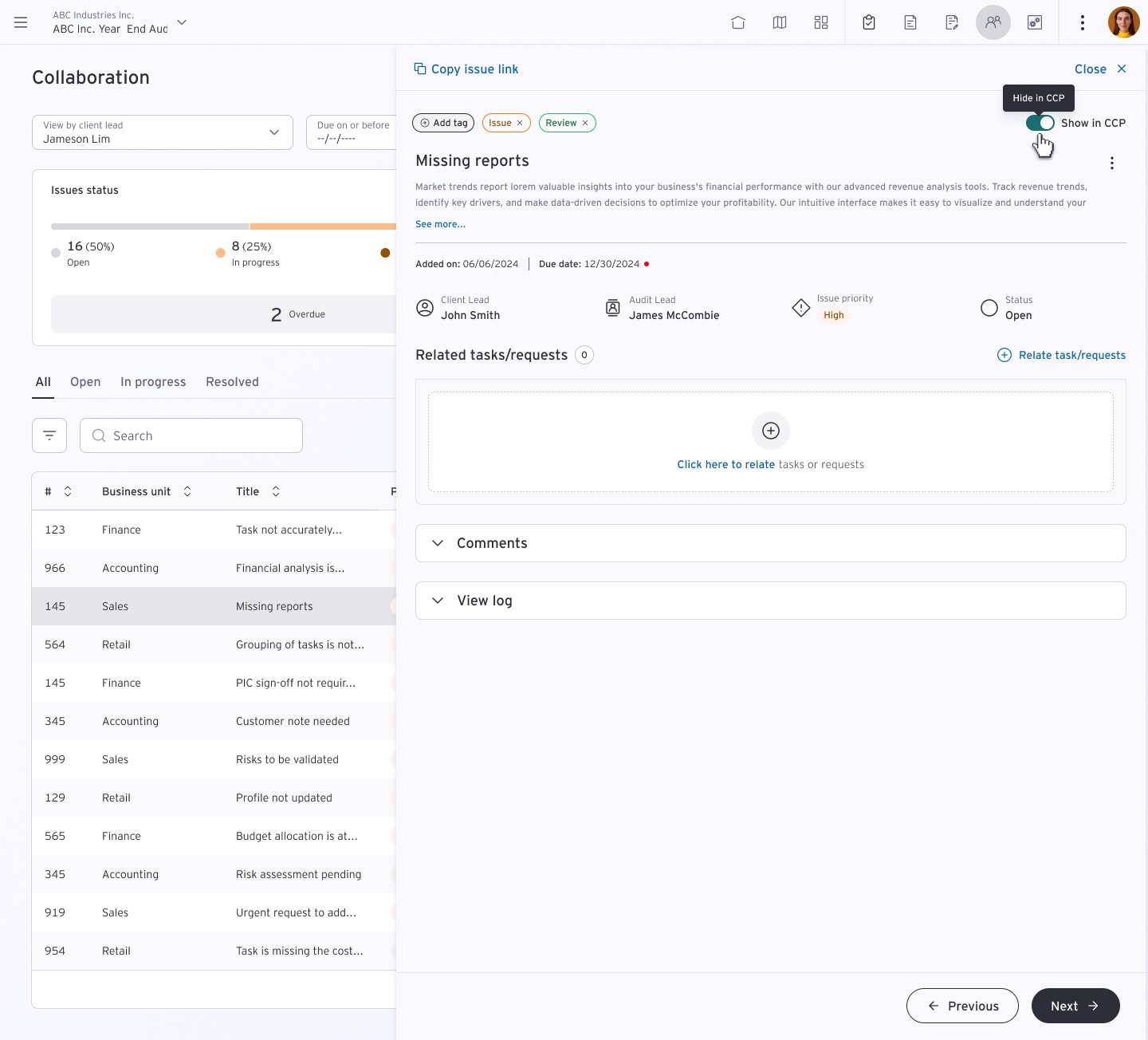
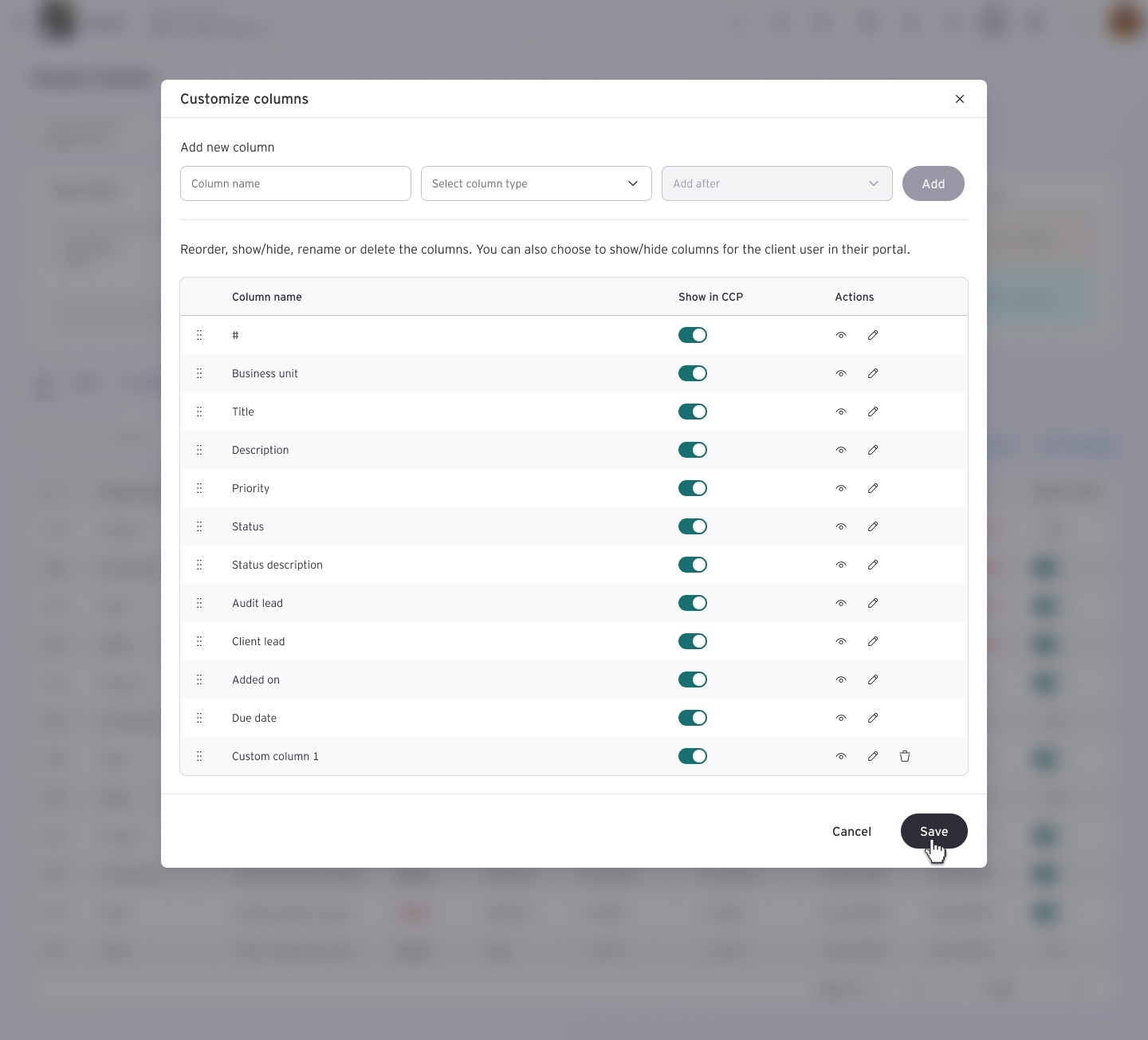
Engaged in iterative design cycles, incorporating user feedback and stakeholder input to refine and enhance the Issue Tracker design.
Iterative visual design Iterative visual design Iterative visual design
^